
The front office that never misses a patient message.
KindFront answers patient messages from your clinic's own information and collects appointment requests. The decision always stays with your team.
Example conversation
Example Dental Clinic
You are talking to an AI assistant
Hi, can I book a teeth whitening appointment this week?
10:12AI assistant
Hello! I can take a whitening appointment request. Which day and time suits you? I will pass your request to our team.
SourceTreatments and durations
10:12Thursday afternoon works.
10:13AI assistant
Thank you, I have your request. Our team will confirm and write to you here.
10:13
- WhatsApp, Instagram and web chat
- Answers only from information you approve
- Hands off to your team when unsure
- Your team approves every appointment
- Data stays in Frankfurt, inside the EU
A front desk cannot be everywhere at once.
An example day
The team is in treatment, the phone is ringing. A new message waits.
Lunch break. Two Instagram messages are in the queue.
The clinic closed. Someone wrote: “How much is whitening?”
They sent the same question to another clinic too.
Next morning. The patient has already booked elsewhere.
Your front office in one panel.
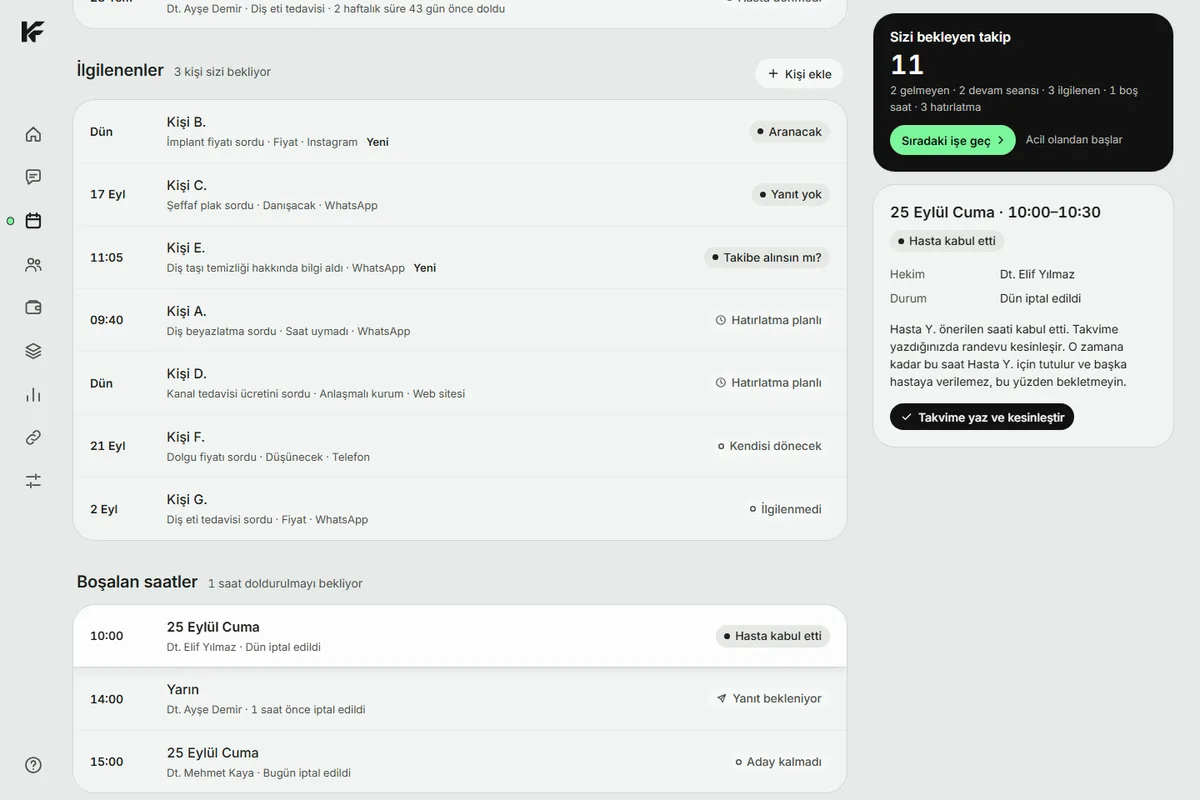
Messages, requests, calendar and follow-ups in one place. Your team sees what to do and when.
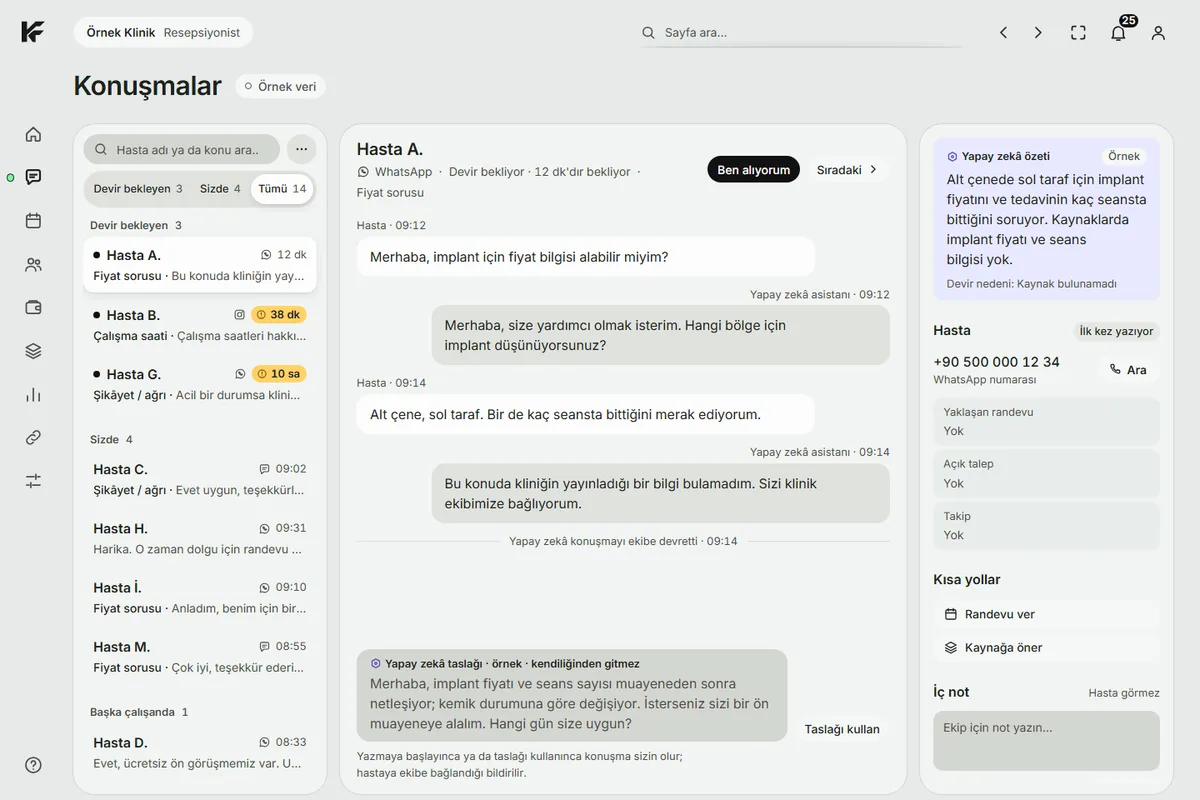
Conversations Messages from every channel in one stream. Who took over and what was written, all visible.
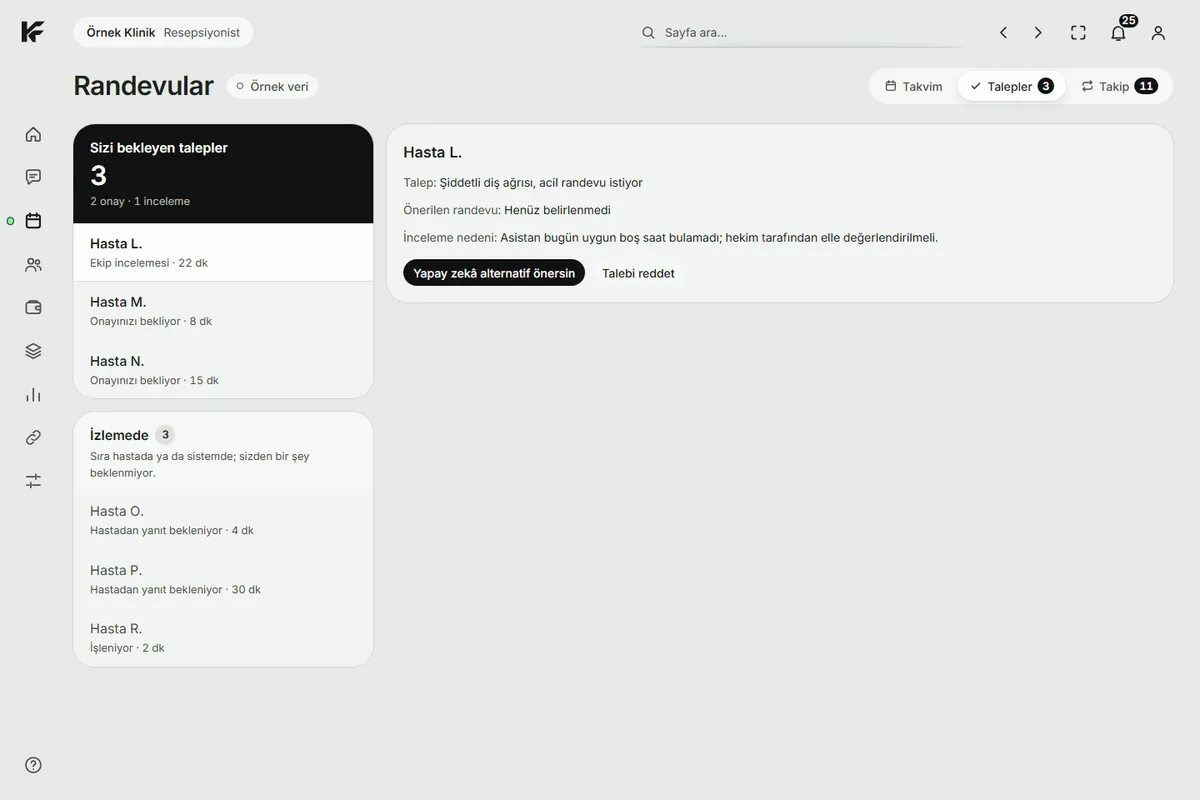
Requests Appointment requests wait for your approval.
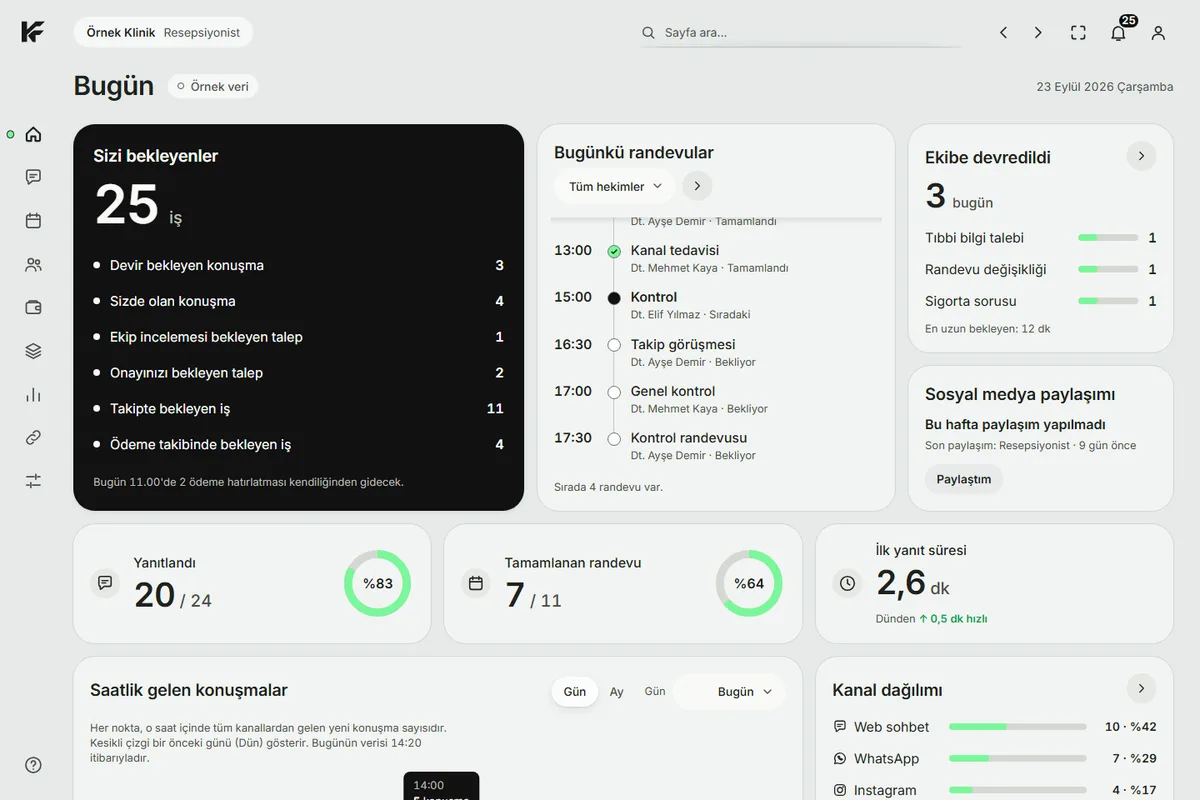
Today Start the day with what needs doing.
Follow-up Callbacks do not get forgotten.
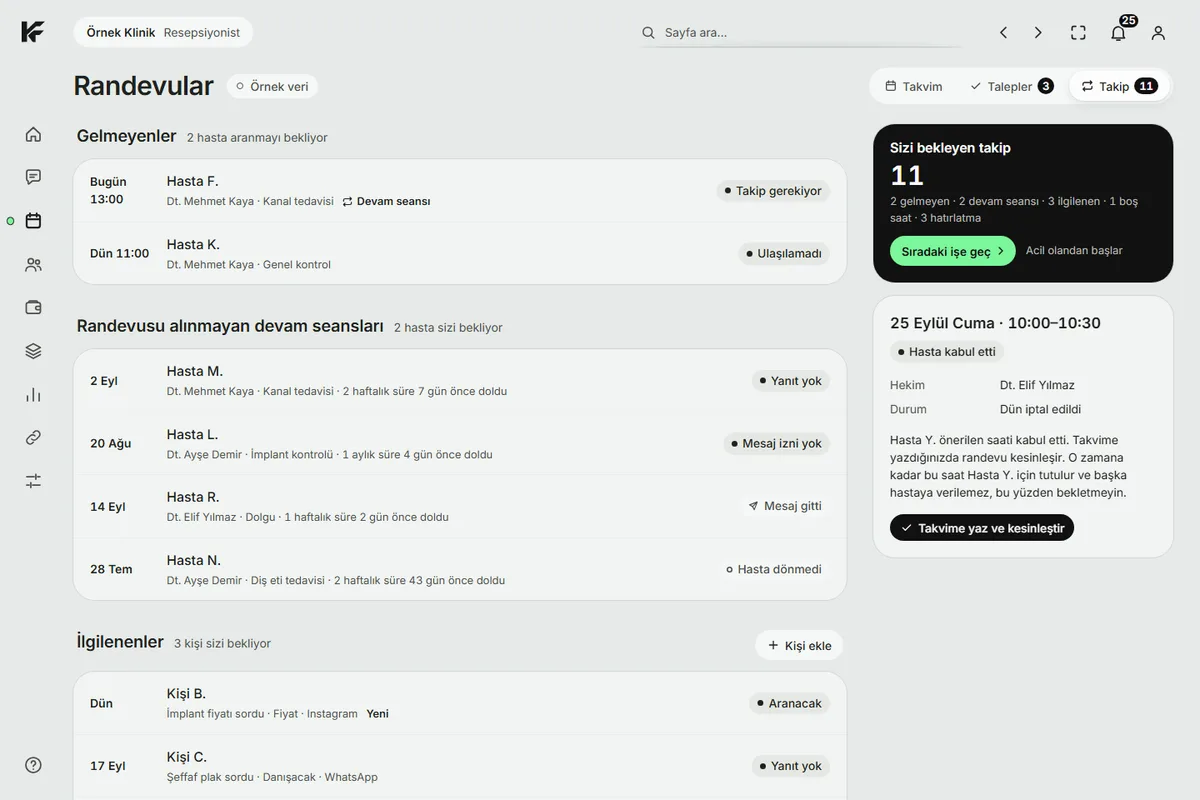
Interested Win back patients who wrote but did not book.
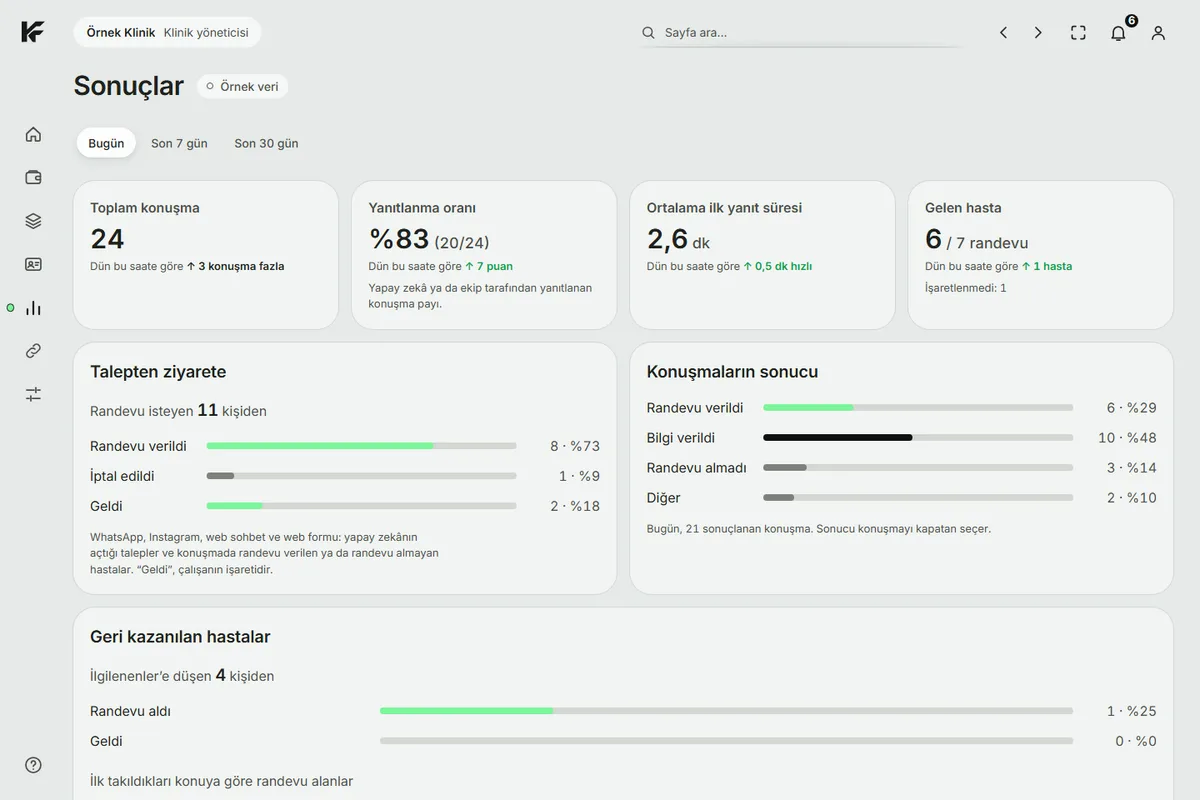
Results See which messages turned into appointments.
For everyone at the clinic.
Patient
Writes on the channel they prefer and gets answers from the clinic's approved information.
Reception
Sees requests in one list; confirms them or suggests another time.
Dentist
Their calendar and the treatments they perform are taken into account; requests arrive accordingly.
Clinic owner
Sees which messages turned into appointments in Results.
It works in three steps.
Opening hours, treatment explanations, common questions. You decide what answers are built from.
The patient writes and KindFront answers only from approved information. If unsure, it hands the conversation to your team.
The request lands in your panel. When reception confirms, the patient is informed.
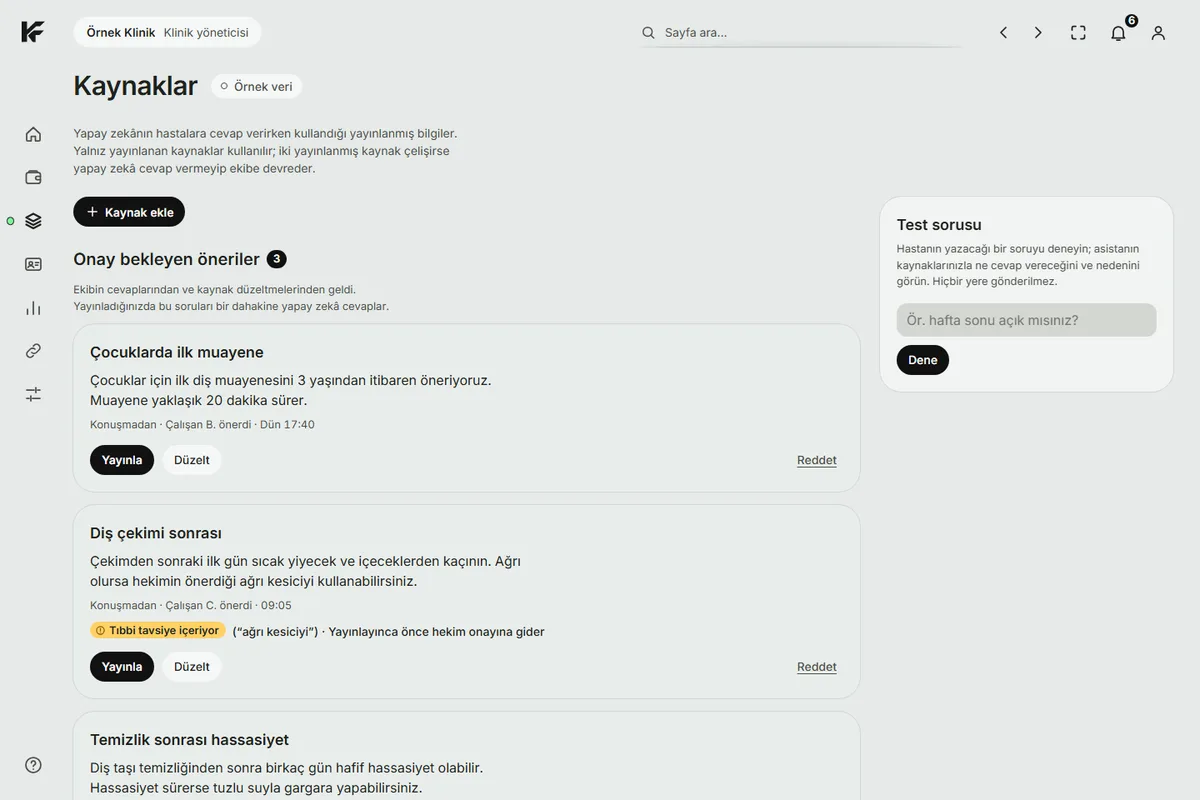
You stay in control.
Only information you approved
It does not invent what is not in the source.
A person takes over when unsure
The conversation moves to your team with its notes.
Your team confirms appointments
Nothing is called final until the calendar entry is verified.
No messages for those who opt out
When a patient says they do not want messages, it is recorded and automatic messages stop.
A look inside the panel.
Single-dentist practice
You are both the dentist and the front desk. Messages are answered while you are in the chair.
Multi-dentist clinic
Each dentist's calendar, working days and treatments are taken into account.
FAQ
What if the AI gives a wrong answer?
It answers only from information you approved. If there is none, or it is unsure, it hands the conversation to your team.
Does the AI book the appointment?
No. It collects the patient's request. The appointment becomes final when your reception confirms it.
Which channels does it work on?
WhatsApp, Instagram and web chat. Channels are connected together with you during setup.
What happens to a patient who does not want messages?
When the patient writes that they do not want them, it is recorded and no automatic messages are sent.
Where is patient data stored?
Within the European Union, in a database in Frankfurt. Data is processed under Turkish KVKK rules.
What stage is the product at?
KindFront is in early access. We are looking for the first clinics to pilot with.
Let's talk about your clinic.
KindFront is in early access. We are looking for pilot clinics. We reply within 3 working days.
Request a call